Best ugc portfolio website options (free & paid)
Compare Notion, Stan Store, Contra, Carrd, and personal websites for your UGC portfolio. Real pros, cons, and setup tips for each platform.

A brand manager told me recently that she opens every creator's portfolio link before she reads a single word of their pitch email. If the link goes to a Google Drive folder, she closes it. Not because Google Drive is inherently bad — but because the signal it sends is "I haven't thought about this."
Your UGC portfolio website is the first impression that arrives before you do. Choosing the right platform to host it isn't a minor detail.
Here's the honest breakdown of every platform worth considering — what each one actually does well, where it falls apart, and who it's right for.
What a ugc portfolio website actually needs to do
Before comparing platforms, it's worth being clear about the job. A UGC portfolio site needs to:
- Load fast and not require a login to view
- Host or embed video without buffering nightmares
- Look clean on mobile (that's where most brand managers are opening links)
- Have a clear way to contact you or see your rates
- Reflect your positioning — not just dump every video you've ever made
It does NOT need to be a custom-coded, $3,000 Webflow build. Plenty of $500/video creators are working off a Carrd page that took two hours to set up.
The platform matters less than the content. If you haven't nailed what goes in your portfolio yet, read how to build a UGC portfolio that wins brand deals first — then come back here to pick your platform.
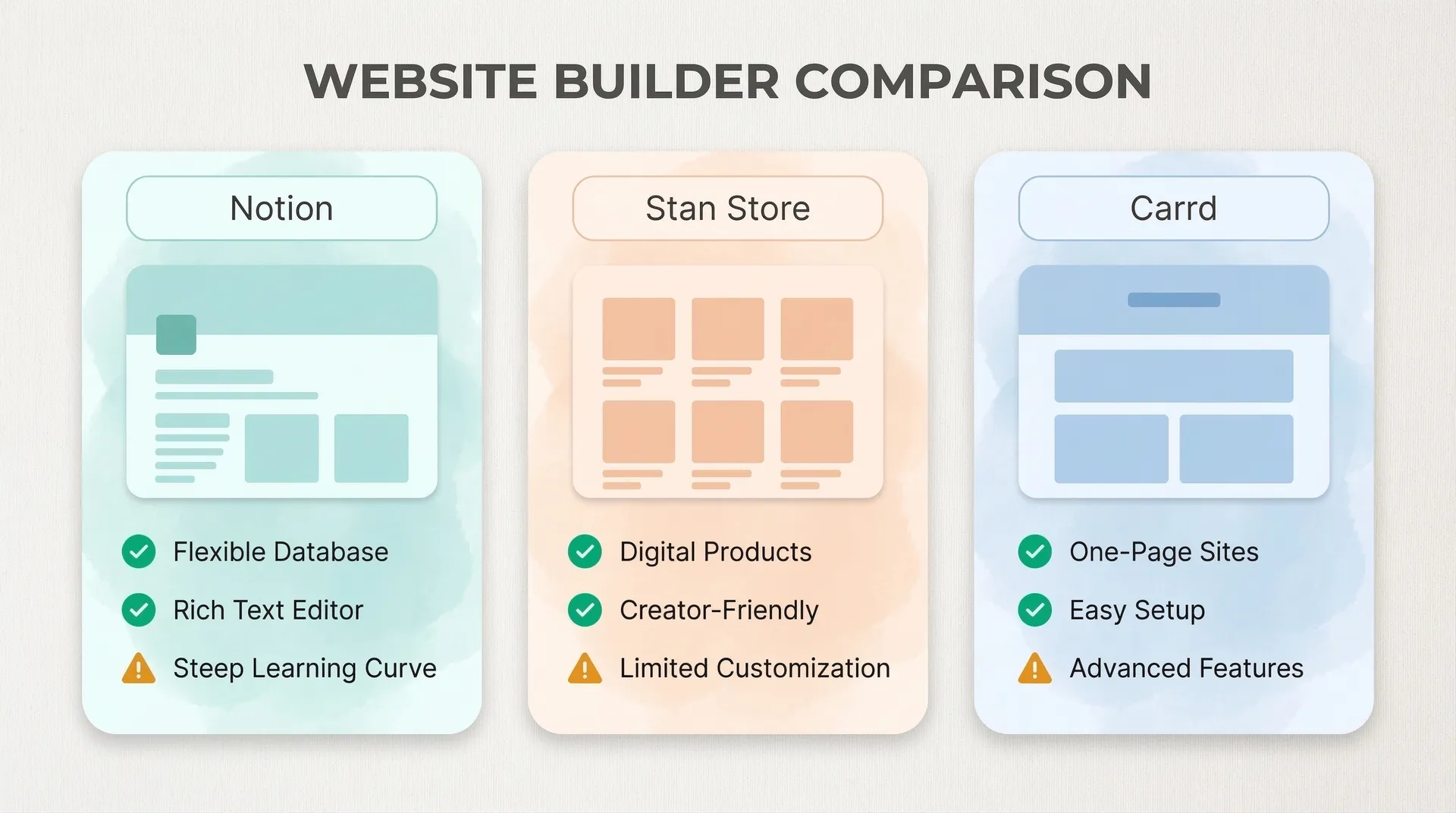
Notion — the fastest free starting point
Notion is where I'd send every creator who has zero budget and needs something live today. Free, no-code, and with the right template it looks surprisingly professional.
The workflow: build your portfolio as a Notion page, enable "Share to web," and you've got a public URL in under an hour.
What works well:
- Free forever on the personal plan
- Clean typography out of the box
- Easy to update — add a new video, change your rates, no technical friction
- Good Notion UGC portfolio templates exist already
Where it breaks down:
- Notion doesn't host video. You're embedding YouTube or Vimeo links, which means an extra step and one more thing to break
- The URL is ugly by default (
notion.site/your-name-abc123) unless you pay for a custom domain ($8/month on Notion Plus) - It reads like a document, not a portfolio. The visual hierarchy is limited
Best for: New creators who want something live fast, or anyone using it as a temporary placeholder while building something better.
One thing to watch: Notion pages can load slowly on mobile with a lot of media. Keep it lean — 6–8 embedded videos maximum.
Stan Store — portfolio plus storefront
Stan Store ($29/month) is built for creators who want to monetize their audience and their services from one URL. Your link-in-bio page, your portfolio, your rate card PDF, and your booking flow all live in the same place.
The portfolio section is basic — it's essentially a video grid with some text. But the real sell is the ecosystem. You can sell a media kit, a rates PDF, or a UGC course, all from the same page as your portfolio.
What works well:
- Video hosting is native — upload directly, no third-party embeds
- Looks polished without any design work
- The storefront angle is genuinely useful if you're selling consulting, presets, or brand packages
Where it breaks down:
- $29/month is real money when you're starting out
- The portfolio customization is limited — everyone's Stan page looks similar
- It's optimized for audience monetization, not for impressing brand managers
Best for: Creators already making consistent income who want to consolidate their tools, or anyone selling digital products alongside their UGC services.
Contra — built-in marketplace plus portfolio
Contra is a freelance platform with a portfolio feature built in. Create an account, add your projects, set your rates, and you get a public profile URL that functions as your portfolio.
The unusual thing about Contra: it's also a marketplace. Brands can find you there organically through search. That's either a bonus or a distraction, depending on your strategy.
What works well:
- Free to use, no hidden fees on the basic plan
- Built-in discovery — brands actively search Contra for UGC creators
- Clean, professional-looking profiles with good video support
- Handles payments and contracts if you use it as a full freelance platform
Where it breaks down:
- You're on a platform with thousands of other creators. Your portfolio competes with everyone else's
- Limited customization — your page looks like a Contra profile, not your brand
- Not ideal as your only presence — you'd want a standalone URL to send in pitches
Best for: Supplementing your main portfolio with extra discovery, or creators who want to pick up inbound work without heavy outreach.
Carrd — the underrated $9/year option
Carrd is a single-page website builder. Pro plan is $9/year. Not a month — a year.
For a UGC portfolio, the formula that works: one-page site with a header, a short "about" section, an embedded video grid (YouTube/Vimeo links), your niche and rates, and a contact link. Done. It takes two to three hours to build and looks genuinely good.
What works well:
- Insanely cheap
- Single-page format is actually a feature — keeps brands focused
- Responsive mobile design built in
- Custom domain support on the Pro plan ($19/year tier)
- Clean and fast — no heavy JavaScript slowing things down
Where it breaks down:
- No native video hosting — you're embedding from elsewhere
- Limited to one page, so it's not great for organizing a large catalog
- Fewer templates than competitors
Best for: Creators at any stage who want a clean, standalone portfolio URL without ongoing monthly fees. This is the best value option by a significant margin.
For ideas on what sections to actually include, check out the exact sections brands want in a UGC portfolio template.
Personal website — full control, higher investment
Framer, Webflow, Squarespace, Wix. When you're charging $800+ per video and running a real UGC business, a proper website starts making sense.
Framer has a free tier with genuinely impressive templates. The learning curve is low compared to Webflow and the output looks design-agency quality. It's what I'd recommend if you want something that genuinely stands out.
Squarespace ($16/month) is the easiest of the paid options. Video portfolios look great, there's a built-in scheduling/contact form, and the templates are clean. Worth it if design is not your strength and you'd rather have a drag-and-drop interface.
What works well:
- Full creative control over layout, branding, and copy
- Custom domain is standard
- Can grow with you — add a blog, a booking page, a rate card
- Signals that you're running a serious business
Where it breaks down:
- More expensive ($16–$36/month for the good plans)
- Takes time to build and maintain
- Overkill if you're just starting out
Best for: Creators consistently closing $1,000+ deals who want their portfolio to reinforce premium positioning.
Bento.me and link-in-bio tools — honorable mention
Bento.me is a newer link-in-bio tool that supports video tiles, image blocks, and social links. Free, modern-looking, and better than a standard Linktree for portfolio purposes.
It's not a full portfolio. But as a gateway — the URL you put in your Instagram bio that points to your best work — it's solid. Pair it with a Carrd or Notion page for the full thing.
Which platform should you actually choose?
Here's the honest breakdown by stage:
Just starting out: Notion. Free, get something live today, iterate fast. Or check out how to build a UGC portfolio in Canva if you want something more visual.
Making your first few deals: Carrd ($9/year). Clean, standalone, custom domain. The best value in this list.
Consistent income, want to scale: Stan Store if you're selling products, Framer if you want premium positioning.
Want marketplace visibility: Contra as a supplement to whatever your main portfolio is.
What doesn't change regardless of platform: you need real work, a clear niche, and social proof. A $200 custom website with weak content loses to a free Notion page with 3 killer video examples every single time. If you're still building the content side, start with 15 UGC portfolio examples that actually land brand deals to see what "good" actually looks like.