UGC video production: your complete beginner's guide
Learn how to shoot, edit, and deliver high-quality UGC videos that brands love — even if you're just starting out with a smartphone and zero studio budget.

Video is the format every brand wants right now. It drives engagement, builds trust fast, and converts better than static images in almost every category. For UGC creators, knowing how to produce clean, compelling video content is the skill that separates hobby creators from those landing consistent campaigns. Here's everything you need to get your video production right — from gear to delivery.
Why "authentic" doesn't mean sloppy
There's a common misconception in the UGC space: that because brands want authentic content, production quality doesn't matter. That's not quite right.
Brands want content that feels authentic — natural lighting, real environments, a person who looks like their actual customer. But they still expect watchable footage. Shaky handheld shots in bad lighting with muffled audio won't get used, no matter how genuine the creator seems.
The goal is controlled authenticity: content that looks spontaneous but was actually planned and shot with intention. Think of it like a well-practiced musician performing "off the cuff." It takes real skill to make something feel effortless.
As brands continue shifting budgets away from polished influencer ads toward UGC, the bar for video quality is rising. Creators who understand basic production principles win more campaigns — and get rehired.
Your gear: start simple, upgrade smart
You don't need a cinema camera to produce great UGC. Most brands actually prefer smartphone footage because it fits seamlessly into social feeds. But a few accessories make a real difference.
The essentials
- Smartphone — iPhone 14 or later, or any recent Samsung/Pixel flagship. Shoot in the highest quality your phone supports (4K/30fps is a solid starting point).
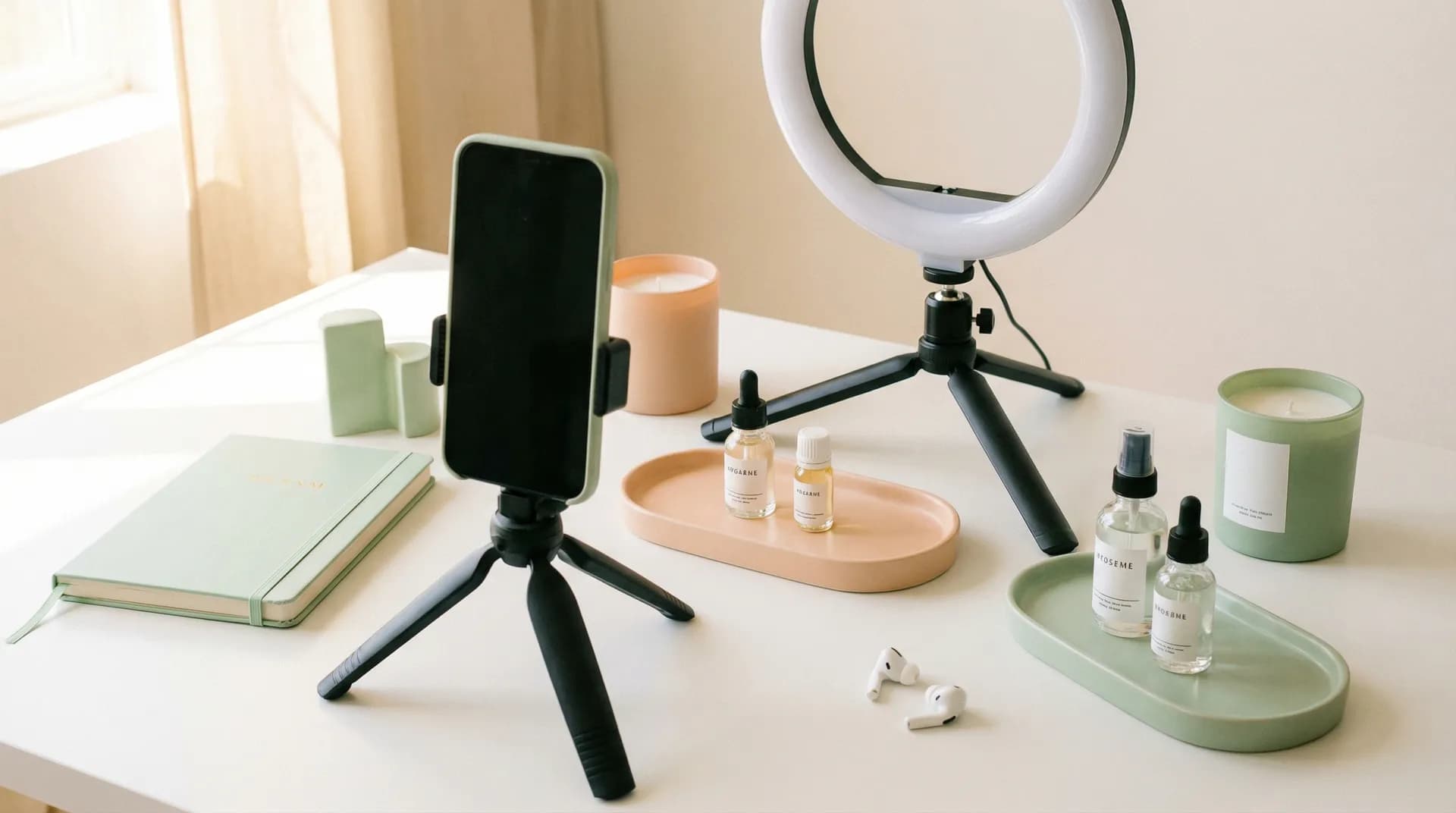
- Tripod or phone mount — Eliminates camera shake. A basic $20–30 tripod is enough. For walking shots, a small gimbal like the DJI OM 6 helps significantly.
- Ring light or LED panel — Good lighting hides a multitude of sins. A 10-inch ring light is versatile for close-up product shots and talking-head content.
- Clip-on microphone — Audio is where most beginners stumble. The Rode Wireless ME or a simple lavalier mic from Amazon ($20–40) dramatically improves clarity.
Before upgrading your camera, upgrade your lighting. A $30 LED panel will improve your video quality more than a $300 camera upgrade in most situations.
What you don't need (yet)
Skip the expensive lenses, professional lighting rigs, and DSLRs when you're starting out. Brands buying UGC content are often specifically avoiding over-produced content. Save the gear budget for later — once you're booking campaigns consistently and understand what actually improves your output.
Planning your UGC video
Good UGC videos are short, focused, and built around a single message. Brands typically want:
- Hook content — 3–5 second openers designed to stop the scroll
- Product demos — Showing the product in use, naturally
- Testimonial-style clips — Creator speaking directly to camera about the product
- Lifestyle B-roll — Product in an environment (coffee on a desk, skincare in a bathroom)
Before you pick up the camera, ask yourself three questions:
- What's the one thing this video needs to communicate?
- Who is watching it and where will it live? (TikTok, Instagram Reels, YouTube Shorts, paid ads — each has different expectations)
- What action should the viewer take?
Write a loose script or shot list. UGC scripts don't need to be word-for-word — a bullet list of talking points is usually enough. Brands will often provide a brief with required messages and claims. Always follow it closely.
Never make health, income, or results claims that aren't in the brand brief. If the brief doesn't say it, don't say it. This protects both you and the brand from regulatory issues.
Shooting techniques that make your footage stand out
Lighting first, always
Shoot in natural light when possible — face a window, don't shoot with a window behind you. If you're using artificial lighting, aim for soft, even light with no harsh shadows across your face or the product.
Avoid mixed light sources (e.g., warm lamp + cool daylight). Pick one and commit to it.
Framing and composition
- Use the rule of thirds — most phones have a grid overlay in camera settings
- Leave headroom above your head when shooting talking-head content
- For product shots, shoot flat lays from directly above or at a 45-degree angle
- Clean, uncluttered backgrounds test well for paid ad UGC
Multiple angles, always
Even for a 15-second video, shoot three or four angles. A wide shot, a mid shot, and a close-up of the product. This gives brands (and you) options in editing and creates a much more professional end result.
Keep your takes short and natural
Record in shorter clips rather than one long take. This makes editing faster and keeps your energy up. If you flub a line, pause two seconds and start the sentence again — don't stop recording. You'll thank yourself in the edit.
According to HubSpot's video marketing report, videos under 60 seconds have the highest completion rates across all social platforms. Most UGC deliverables should be 15–45 seconds.
Editing your UGC video
You don't need complex editing software. For mobile-first UGC, these tools work well:
| Tool | Platform | Best for |
|---|---|---|
| CapCut | iOS/Android/Desktop | Quick edits, trending audio, text overlays |
| DaVinci Resolve | Desktop | Color correction, more control |
| Adobe Premiere Rush | iOS/Desktop | Clean, professional output |
| InShot | iOS/Android | Simple mobile editing |
Key editing principles for UGC
Cut tight. Remove every pause, filler word, and dead moment. UGC moves fast — every second needs to earn its place.
Add captions. Research from Sprout Social shows that 85% of social videos are watched without sound. Captions aren't optional anymore — they're essential.
Color grade lightly. A small brightness and saturation boost goes a long way. Don't over-filter. Brands want content that feels real, not artificially processed.
Format for the platform. Shoot and edit in 9:16 (vertical) for TikTok, Reels, and Shorts. 16:9 is for YouTube ads and some paid placements. Always confirm with the brief.
Export your final video at the highest quality your editing software allows — typically H.264 or H.265, at minimum 1080p. Never send a compressed preview or screen recording.
Delivering your final video
How you deliver content is part of your professionalism as a creator. Brands and campaign managers notice.
- Naming convention: Use descriptive file names —
BrandName_ProductName_Hook_v1.mp4, notfinalfinal2.mp4 - Revisions: Always deliver raw files alongside edited versions where the brief requests them. This lets brands re-edit for different formats
- Turnaround time: Most campaigns expect delivery within 5–7 business days of brief approval. Build in buffer time for revisions
- Google Drive or WeTransfer are the standard delivery methods — don't use iCloud links that expire or require an Apple ID
If you're using Crelio to manage your campaigns, you can submit deliverables and communicate with brands directly in the platform — no more scattered email threads and lost files.
Building your video production skills over time
Your first five UGC videos will be rough. That's normal and expected. The creators landing consistent brand deals aren't necessarily more talented — they've just produced more content and paid attention to what worked.
A few habits that accelerate improvement:
- Watch ads that are performing. Use the Meta Ad Library to study what UGC content brands are actually running at scale.
- Review your footage critically. After every shoot, watch your raw footage back and note what you'd do differently.
- Build a content library. Shoot B-roll and lifestyle footage continuously, even when you're not on a campaign. You'll have assets ready when you are.
Once you've got a handful of strong video samples, they become the foundation of a portfolio that gets you hired. Check out our guide to building a UGC portfolio that wins campaigns for a full walkthrough on how to organize and present your work.
And if you're still figuring out how to get your first brand deal, our guide to landing your first UGC campaign walks through the whole process from finding campaigns to submitting a winning application.
Start simple, then level up
Video production doesn't require an expensive setup or years of filmmaking experience. It requires attention to light, clean audio, a clear message, and enough practice to make it look natural.
Pick one product you already own. Script three talking points. Set up near a window. Hit record. Review it, pick out what you'd improve, and shoot it again. That's the whole loop.
The creators who succeed in UGC are the ones who show up consistently and take their craft seriously — not the ones who wait until they have the "right" equipment.
Browse open UGC campaigns on Crelio and start building your video portfolio with real brand briefs.
Related reading
- How to Build a UGC Portfolio That Wins Campaigns — How to organize and present your work to brands
- How to Land Your First UGC Campaign as a Creator — Step-by-step guide to applying and getting hired
- Why Brands Are Shifting Budgets From Influencers to UGC Creators — The market shift and what it means for creators